BUY THIS PRODUCT: GUMROAD
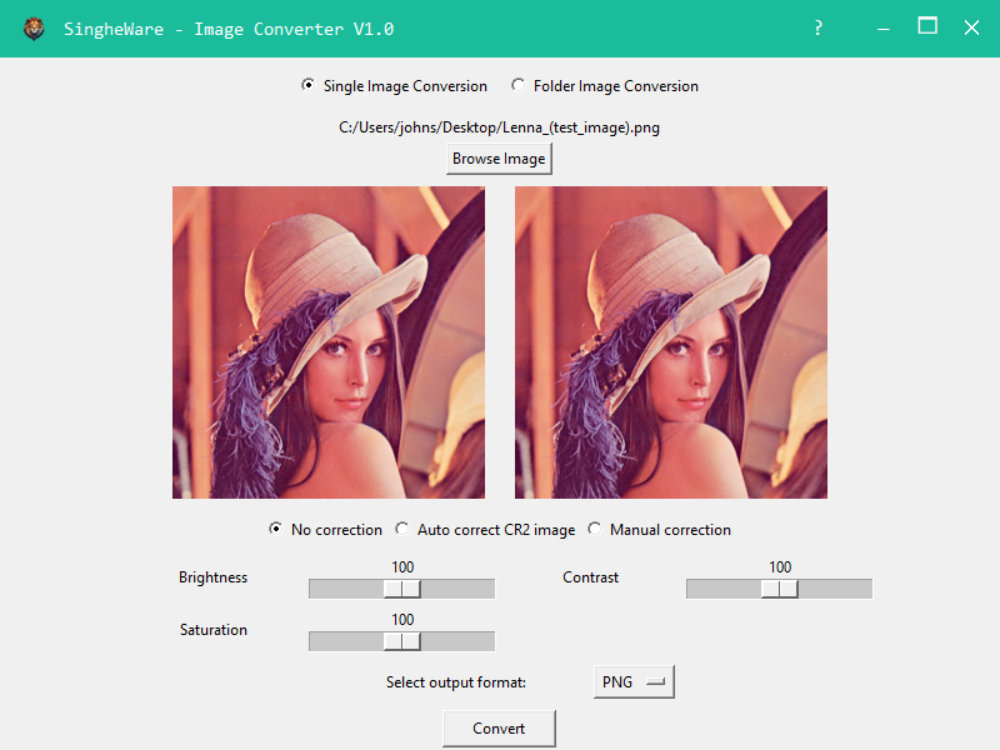
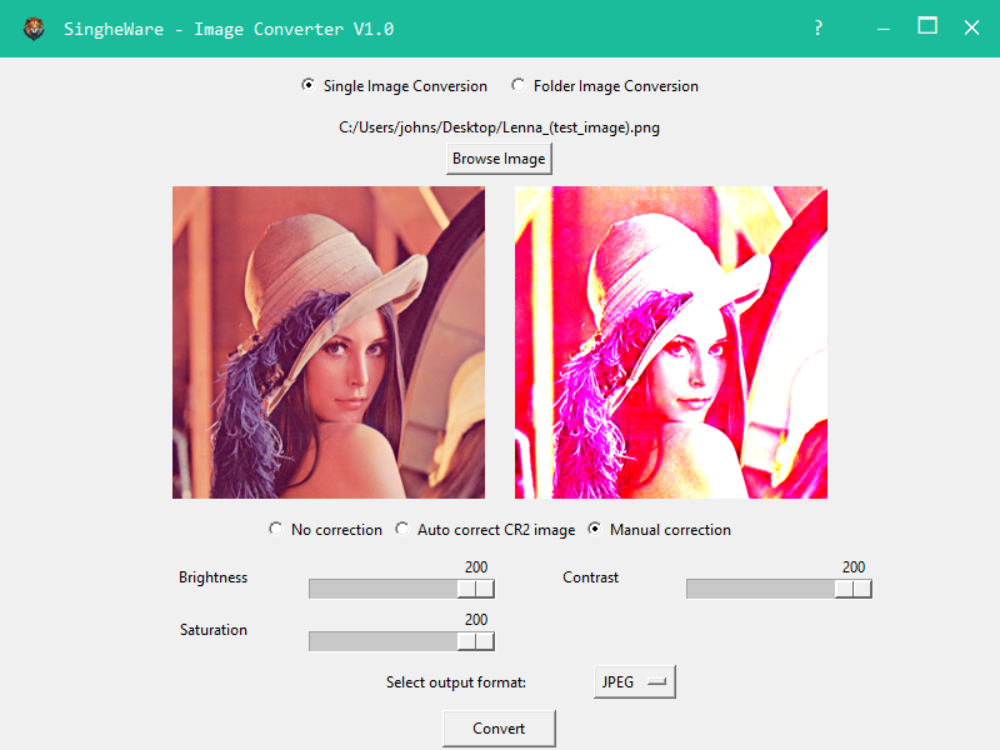
This Python-based application is designed for simple and intuitive image file conversions with built-in image correction capabilities. It supports popular image formats such as PNG, JPEG, BMP, TIFF, WEBP, and even RAW image files like CR2. The programs graphical user interface (GUI) allows users to perform essential image corrections—brightness, contrast, and saturation adjustments—before saving images in the desired format.
Key Features:
-
Drag-and-Drop Support: Users can drag an image file or folder directly onto a designated area of the interface to load images for conversion. A visual indicator highlights the area when an image is dragged over the interface.
-
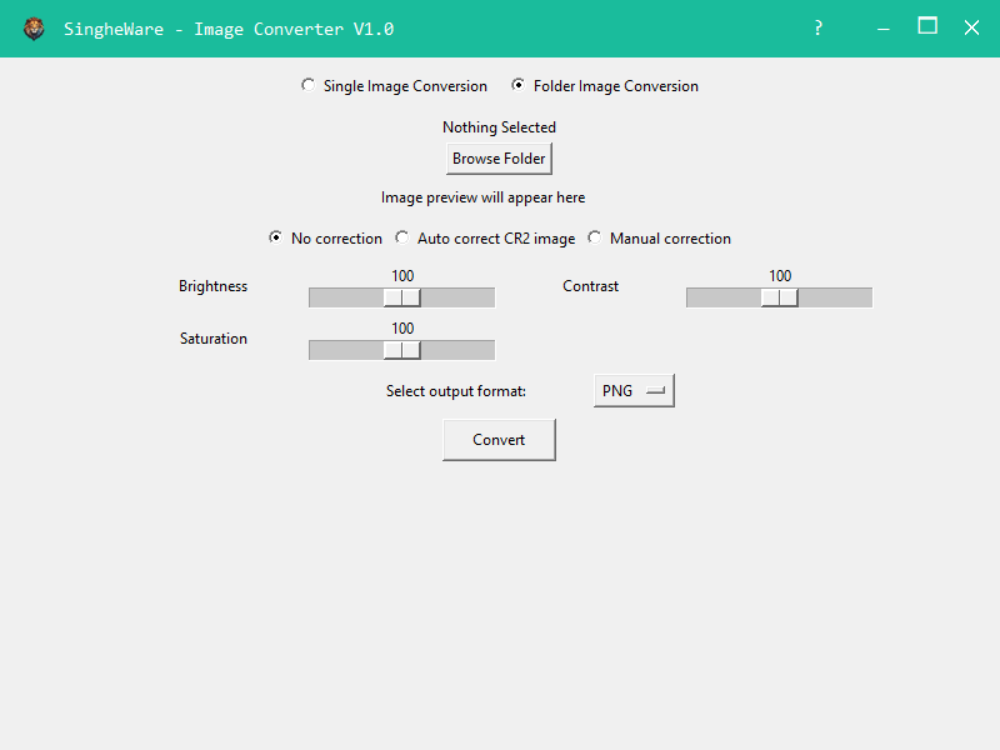
Single Image or Batch Folder Conversion: Convert a single image or an entire folder of images in one go, making it ideal for both individual and bulk image processing.
-
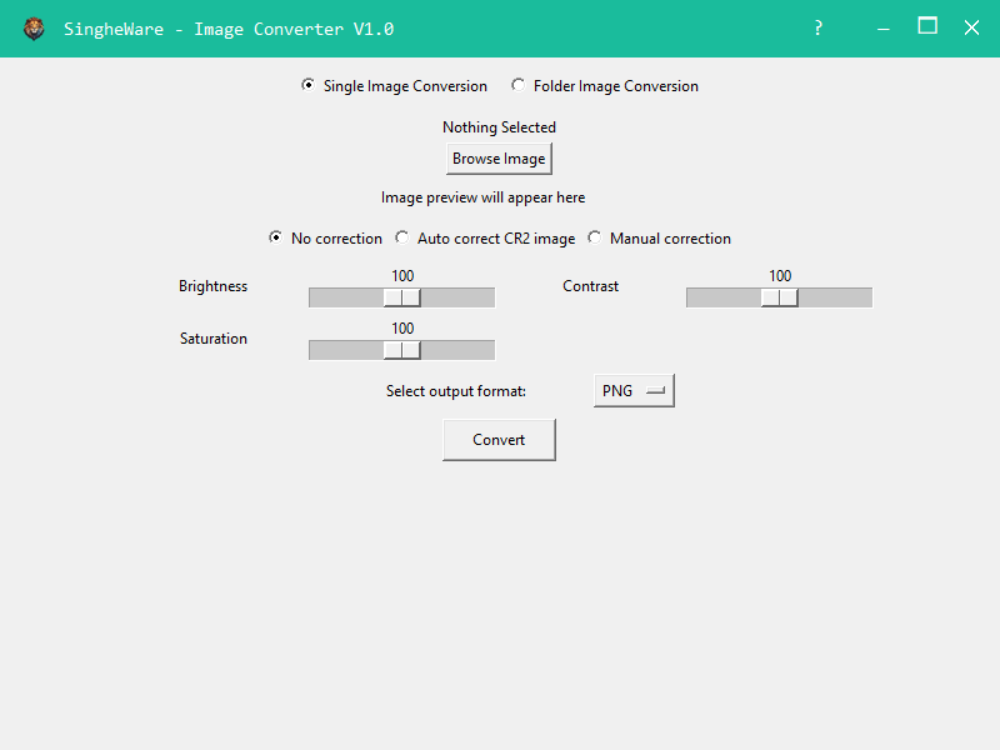
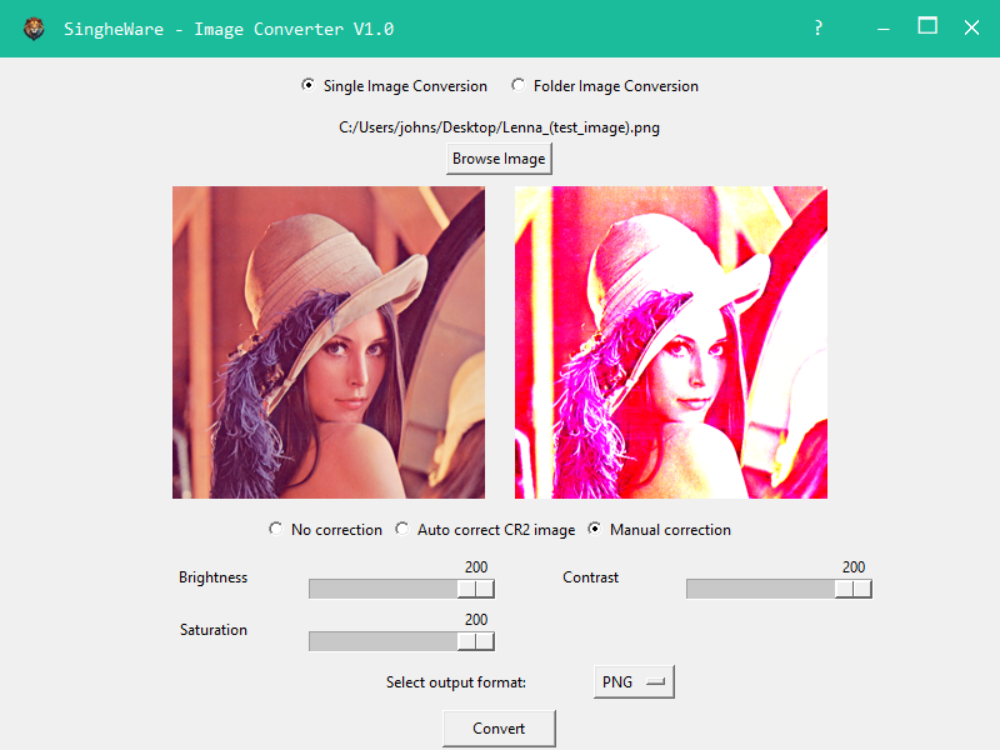
Image Adjustments: Before converting, users can preview and adjust the image's brightness, contrast, and saturation using intuitive sliders. Adjustments are reflected in real-time, helping users get the perfect result before saving.
-
CR2 (RAW) Image Support: The program can handle RAW images like Canon's CR2 files, automatically converting them to common formats like PNG, JPEG, or WEBP.
-
Simple Interface: Users can easily navigate the interface to select images or folders for conversion, choose the output format, and apply image corrections. The program also provides image previews for quick visual confirmation.
This tool is a perfect solution for anyone who needs quick, hassle-free image conversions with a bit of extra control over the final appearance.
Single Image Selection
Folder Selection
Browse Image addition. View of Before and After
Output image correction (if required)
Output image type selection
Output Image