If you have ever signed off a machine before it ships, you know the ritual of a Factory Acceptance Test. There is a checklist — usually a Word document that became a PDF that someone printed — and a person walking around the machine with a clipboard and a phone, ticking boxes, scribbling readings, and taking photos that will later have to be dropped into a report by hand. When two people test two machines at once, there are two clipboards and no single source of truth until everything is collated days later. I have watched this process eat hours that had nothing to do with engineering, and I kept thinking it was a software problem wearing a paperwork costume.
So in my own time I built Tester — a small web app that takes the whole FAT loop and puts it on the phone already in the technician's hand. This is a personal project, built and maintained on my own, not connected to or supported by any employer. It is the kind of thing I build to scratch an itch, the same way I built the wafer aligner simulator and Tower.
The Problem With the Paper Way
A FAT is not complicated in principle. A design engineer decides what must be true about a machine before it leaves the floor — the frame is free of defects, the emergency stop halts all motion, the mains voltage is within tolerance, the robot returns home, the cycle time per slot is within spec. A technician then checks each item on the actual built machine and records the result. At the end, someone produces a signed report that says "this machine passed", with evidence.
The pain is not the testing. The pain is everything around it:
- The test plan lives in a document that gets copied and drifts. Two machines of the same model end up tested against two slightly different checklists.
- Results are recorded on paper or in a phone's notes app, then transcribed later — which is exactly where transcription errors creep in.
- Photos are scattered across a phone's camera roll with no link to the test they belong to.
- Nobody can see progress until it is over. A manager asking "how far along is machine SN-0042?" gets a shrug or a phone call.
- A rejection — a real defect found during testing — is the most important thing that can happen, and it is the thing most likely to get lost in a margin note.
The First Idea, Which Was Wrong
My first instinct was the lazy one: don't build an app, just make a better spreadsheet. A nicely structured Excel template with data validation, maybe a Google Form feeding a sheet. I actually started down this road. It collapsed the moment I thought about photos and live progress. A form can capture a pass/reject, but it cannot show five people a live dashboard, it cannot resize and attach a photo to a specific test, and it certainly cannot generate a properly formatted, revision-controlled PDF report at the end. I was going to end up gluing a form to a script to a document template, and that glue would be more fragile than just writing the thing properly.
The other reason a spreadsheet fails: the test plan is reusable across many machines of the same model, but the results are per machine. A spreadsheet smears those two things together. Once I separated "the plan for a model" from "the results for one built unit", the data model wrote itself, and it was obviously not a spreadsheet.
What Tester Actually Is
Tester is a single web application written in C# on .NET 10. The UI is a Blazor WebAssembly client; the same process is an ASP.NET Core host that serves that client, exposes the REST API, and runs a SignalR hub for live updates. Data sits in a single-file SQLite database through EF Core. Reports are generated with QuestPDF, and photos are resized server-side with ImageSharp. The whole thing is one deployable unit.
It deliberately runs on the local network only — a laptop on a bench, or a small Linux server. Testers connect from their phone browser over the same Wi-Fi; there is no app to install and nothing in the cloud. Given how often a factory floor has patchy or locked-down internet, keeping everything on the LAN was a feature, not a limitation. An engineer can put the server's address on screen as a QR code and a tester scans it to get going.
Three roles, two ways to log in
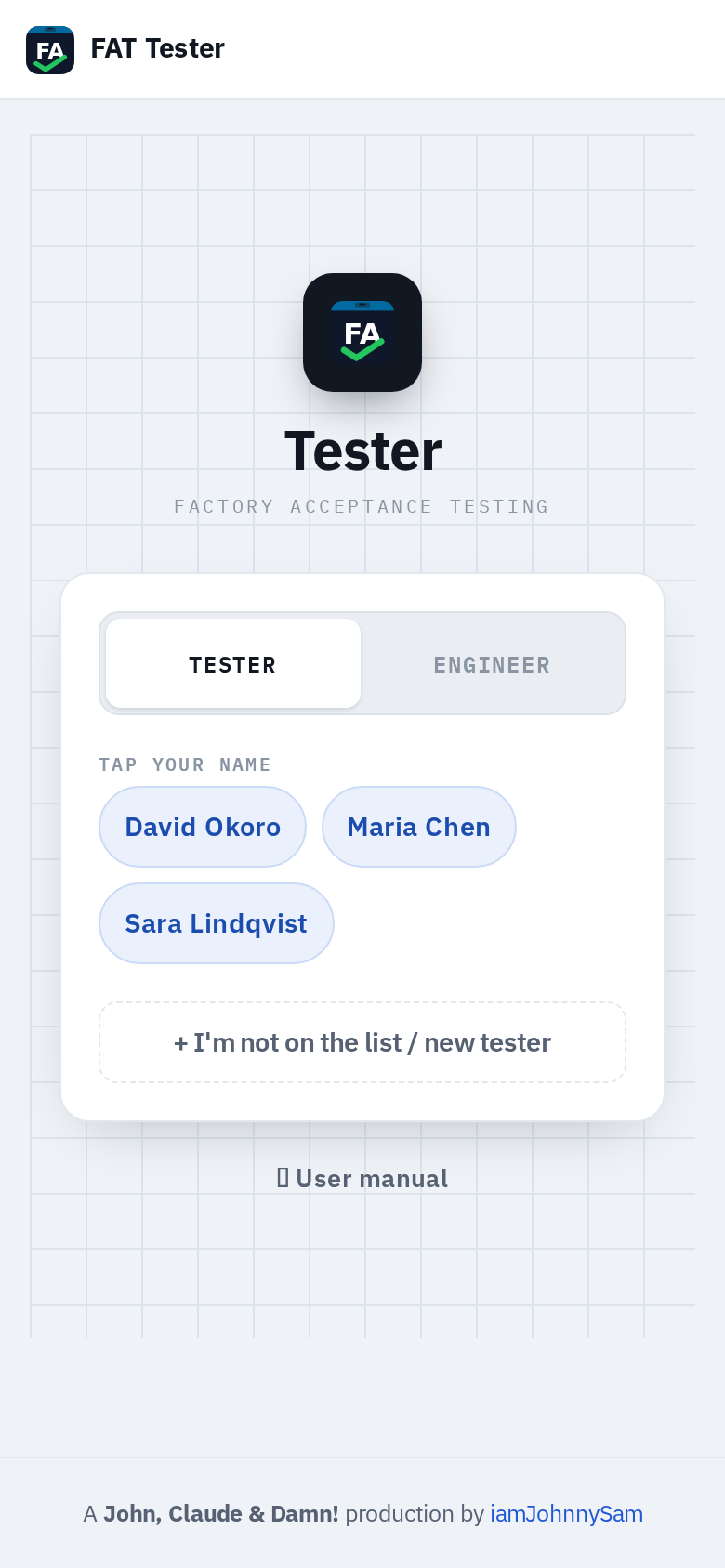
There are three roles: Tester, Engineer, and Admin. The interesting decision here was the tester login. Technicians on the floor sign in with just their name and an ID number — no password. This made me nervous at first, because passwordless anything sets off alarms. But the alternative — making a technician type a password on a phone keyboard every time they pick up a machine — would have killed adoption on day one. The compromise is explicit: tester login is fast and passwordless because the server is only ever on a trusted local network, and a tester can optionally set a personal password later if they want their name locked to them. Engineers and admins, who can change the test plans, always use a real username and password.
Running a Test on the Floor
The core loop is meant to be boring and fast. A tester signs in, picks the machine model, picks the specific build by its serial number (or adds a new one if a fresh machine just arrived), and lands on that machine's progress dashboard. They tap a category and start working through the tests, one card at a time.
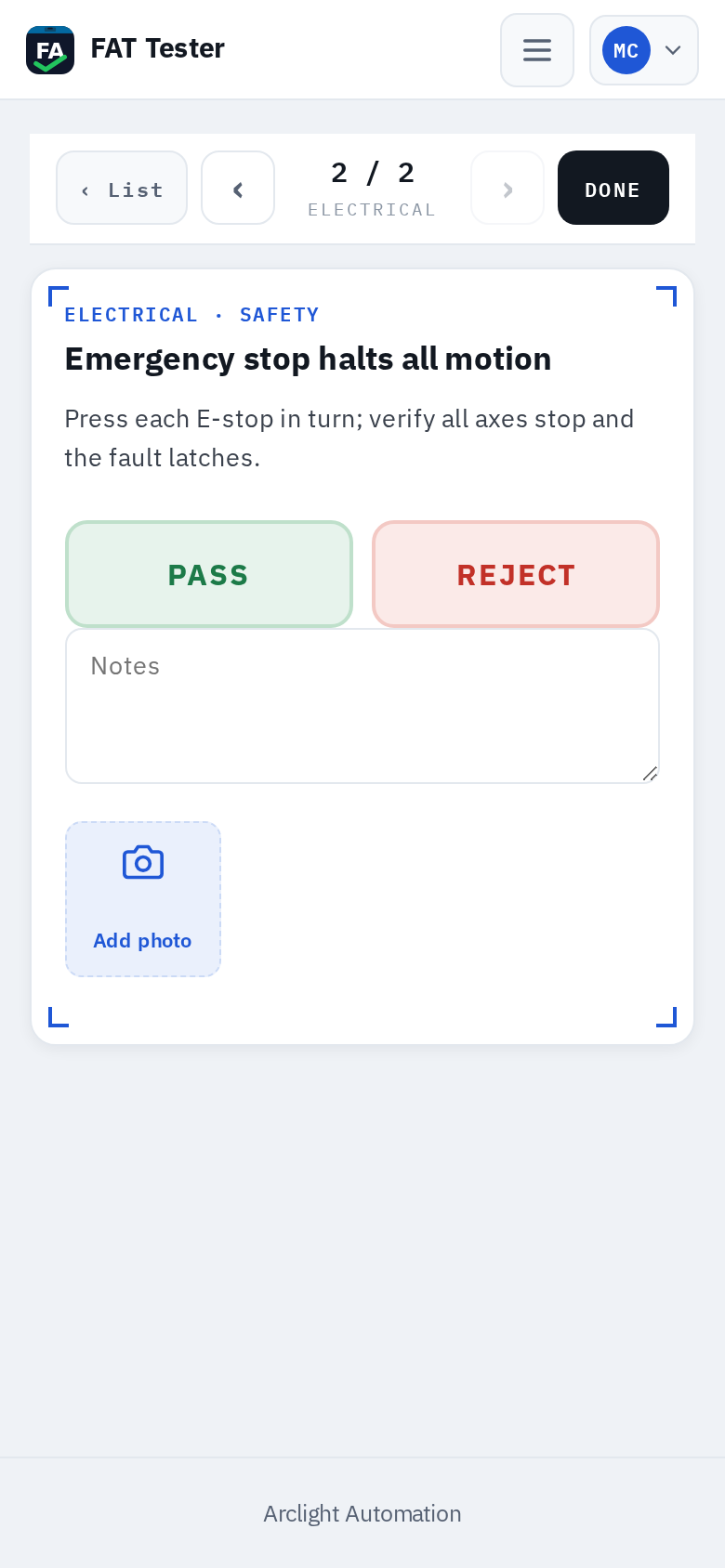
Each test is one card: the title, any procedure notes, and big PASS / REJECT buttons sized for a thumb. The result saves the instant it is tapped — you can hand the phone to a colleague or come back tomorrow and nothing is lost. Not every test is a simple pass/reject, so the cards come in a few kinds:
- Simple — a straight pass/reject judgement.
- Reading — enter one or more measured values (a clearance in millimetres, a voltage) before judging.
- Grid — fill an engineer-defined table, for example cycle time per slot across several runs.
- Info — just record a value, like a firmware version or a serial number, with no pass/reject.
Rejecting a test is treated as the serious event it is: the app refuses to save a rejection without a comment explaining what is wrong. That forces the one piece of information that paper checklists always lose.
Photos that do not bloat the report
Tapping Add photo opens the phone camera directly. My first version stored whatever the phone sent, and a modern phone sends a 4-to-8 MB image. A report with thirty photos was suddenly a 200 MB monster nobody could email. The fix was to resize every upload server-side with ImageSharp down to a sensible dimension and well under a megabyte before it ever touches disk. The photos that matter most travel with their test into the report automatically.
Seeing Progress Live
Every machine has a live dashboard — an overall completion ring, counts of rejected and pending tests, who is testing, and a bar for each category coloured by outcome. This is the part that a spreadsheet could never do. The moment anyone records a result, it pushes to everyone else viewing that machine over SignalR.
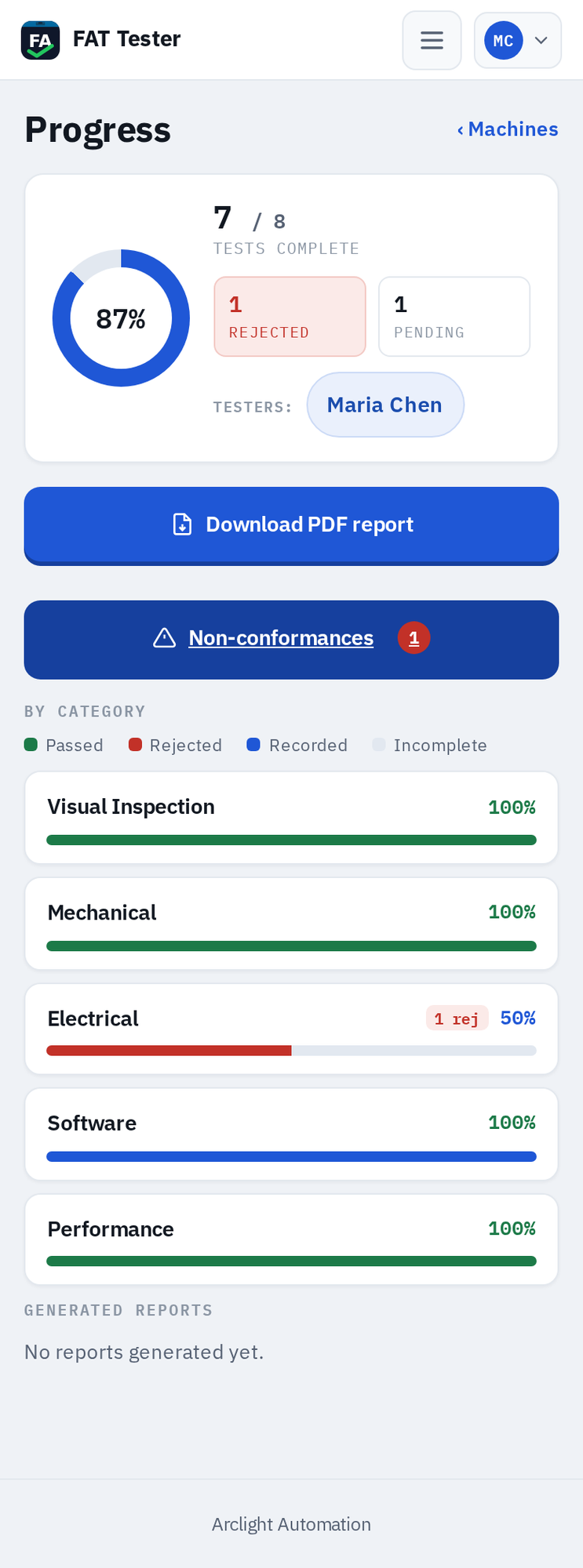
Getting the live sync to behave took some care. A phone screen sleeps, the connection drops, and a naive setup would silently show stale numbers — the worst possible failure, because you would trust them. So the client reconnects automatically and re-pulls state when it wakes. The dashboard also lets you download the PDF report at any point; it does not have to be 100% complete, and incomplete tests simply show as pending.
Rejections Become Non-Conformances
When a test is rejected, Tester automatically opens a non-conformance (NCR) against that machine, carrying the comment, who found it, when, and any photos. There is a dedicated screen listing every open and resolved NCR, and a separate NCR report so a quality team can track defects on their own.
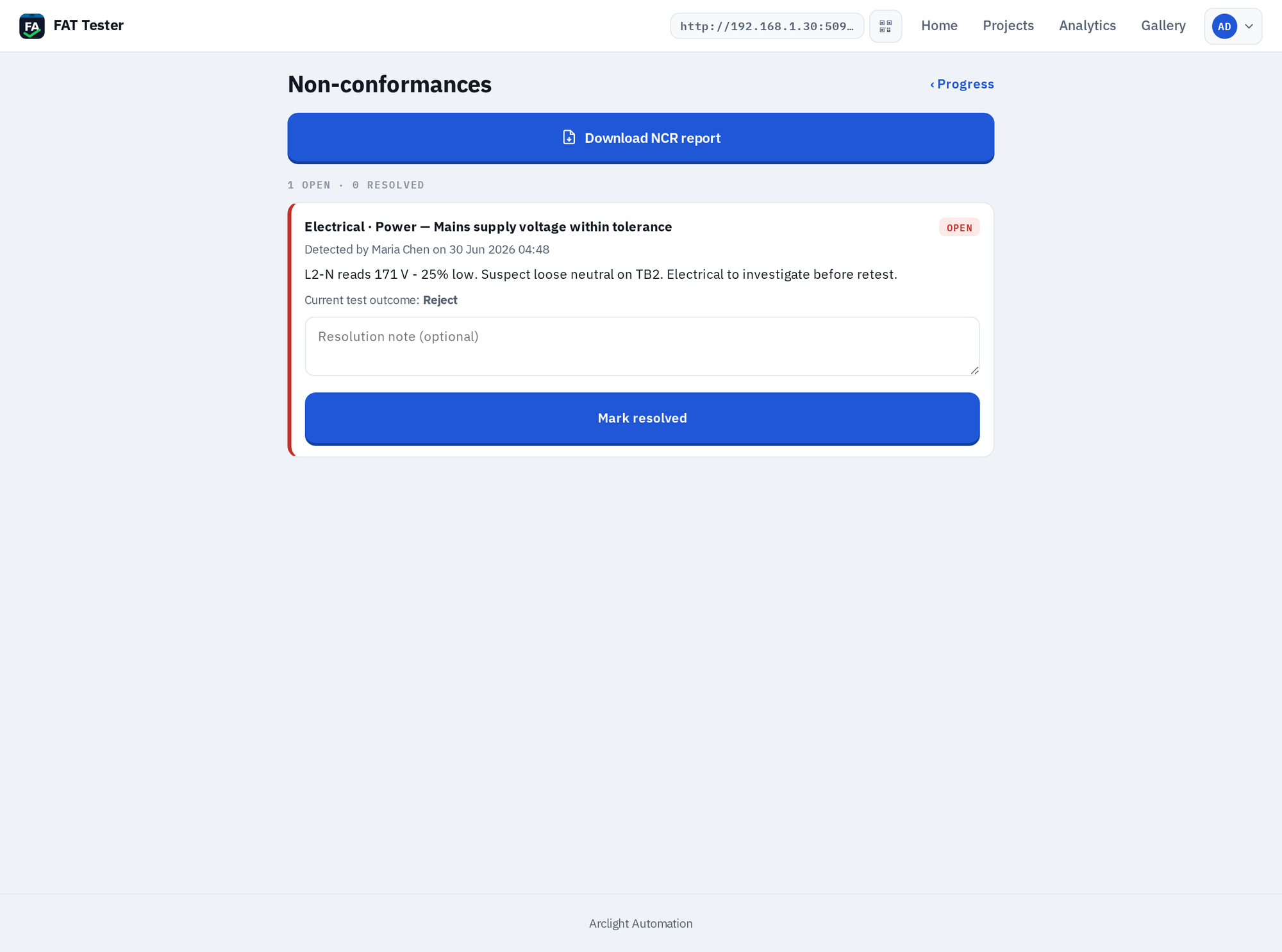
One deliberate decision: re-testing the item and passing it does not auto-close the non-conformance. Someone has to resolve it explicitly, with a note. Auto-closing would have been less code, but it would also quietly erase the paper trail of "this was wrong, here is what we did about it" — and that trail is the entire point of tracking defects.
Authoring the Test Plan
The engineering side is where the test plan is built. Tests are organised as Category → Module → test case and numbered automatically (1, 1.1, 1.1.1, and so on). An engineer can add, edit, reorder by dragging, or soft-delete a test case at any time — even in the middle of a live FAT.
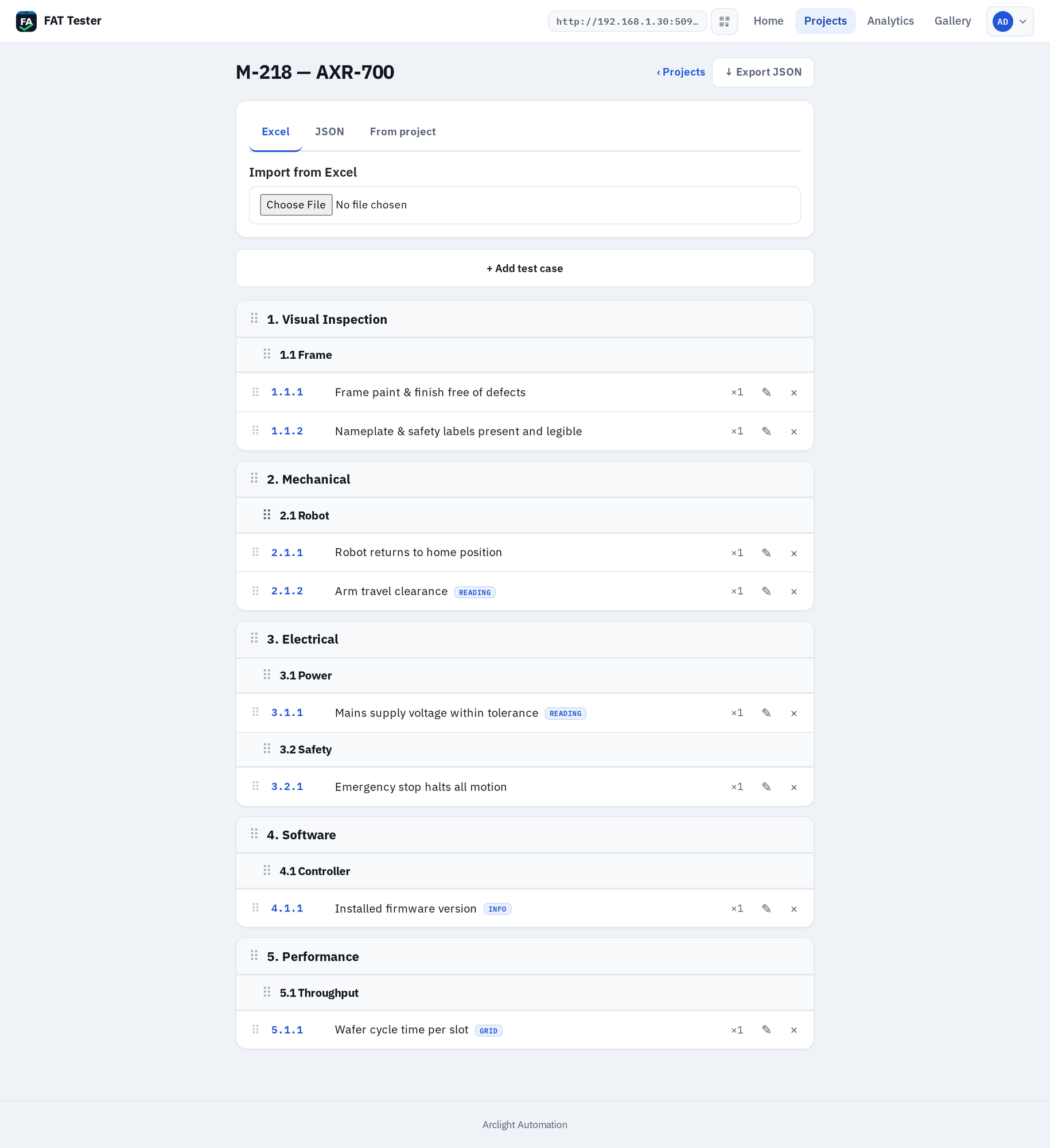
Authoring a plan by hand for a whole machine would be tedious, so plans can be imported in bulk: from an Excel spreadsheet, from an exported JSON plan (with a diff shown before you apply it), or by copying selected test cases from another project when a new model shares checks with an old one. The "edit mid-FAT" capability needed a safety net: if you change a test that a machine has already passed, that result is flagged as needing re-verification, so a late edit can never silently mark something as still-passing when it has not been re-checked.
The Report
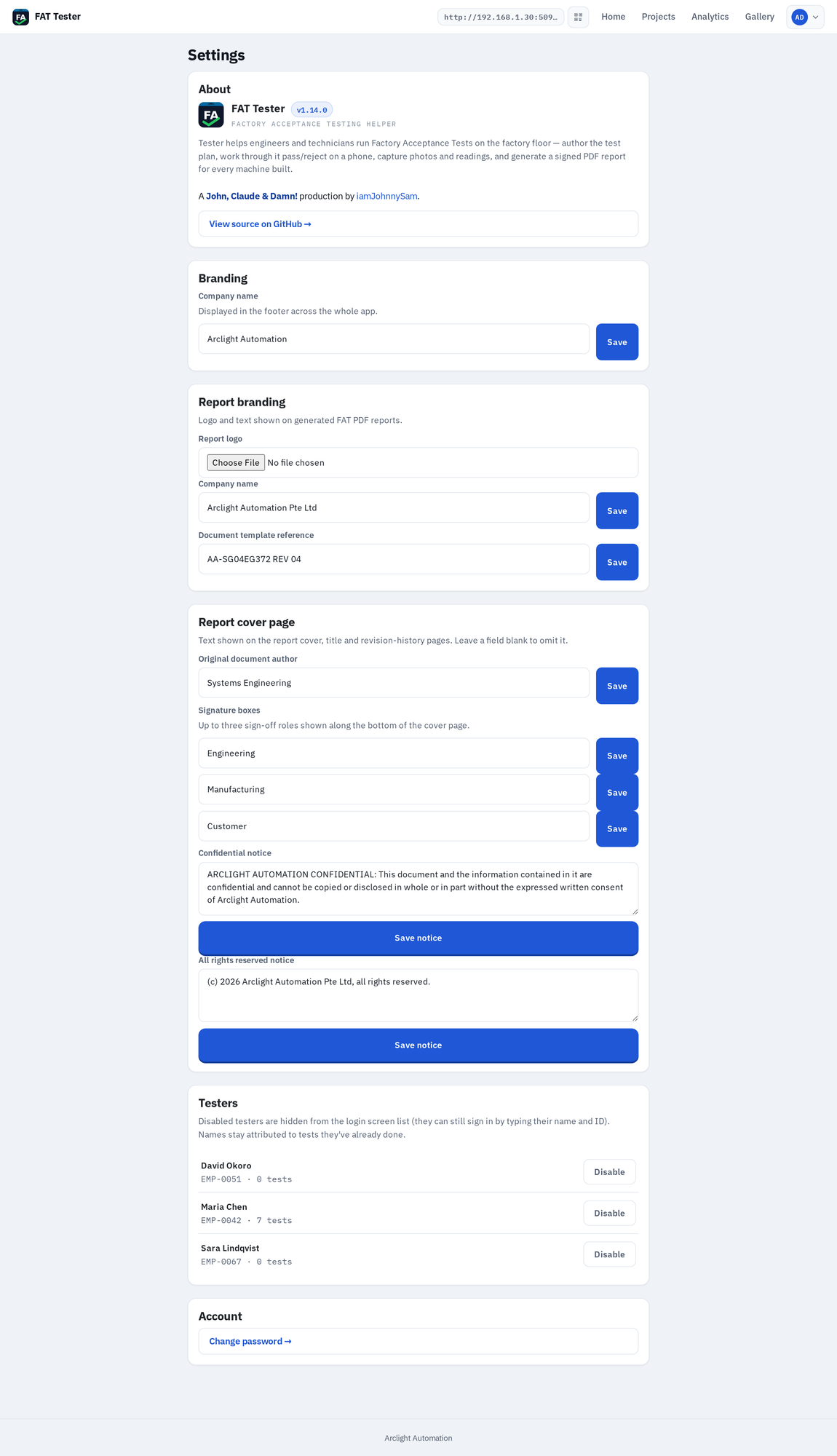
The payoff is the PDF. One report per machine, produced from the dashboard: a cover and title page with the company logo and document number, a table of contents, the FAT information, a testers-and-signatures page, and then every test grouped by category and module with its outcome, readings, comments, and embedded photos. Everything on the cover — author, sign-off roles, confidentiality and rights notices — is configurable rather than hard-coded.
Revision control on the report caused the one bug I am most pleased to have fixed properly. My first version bumped the revision number every time the report was downloaded, which is nonsense — re-printing an unchanged document should not be Revision 7. Now the revision only increments when the report's actual content changes. Re-downloading the same results gives you the same revision, every time.
Engineering Console
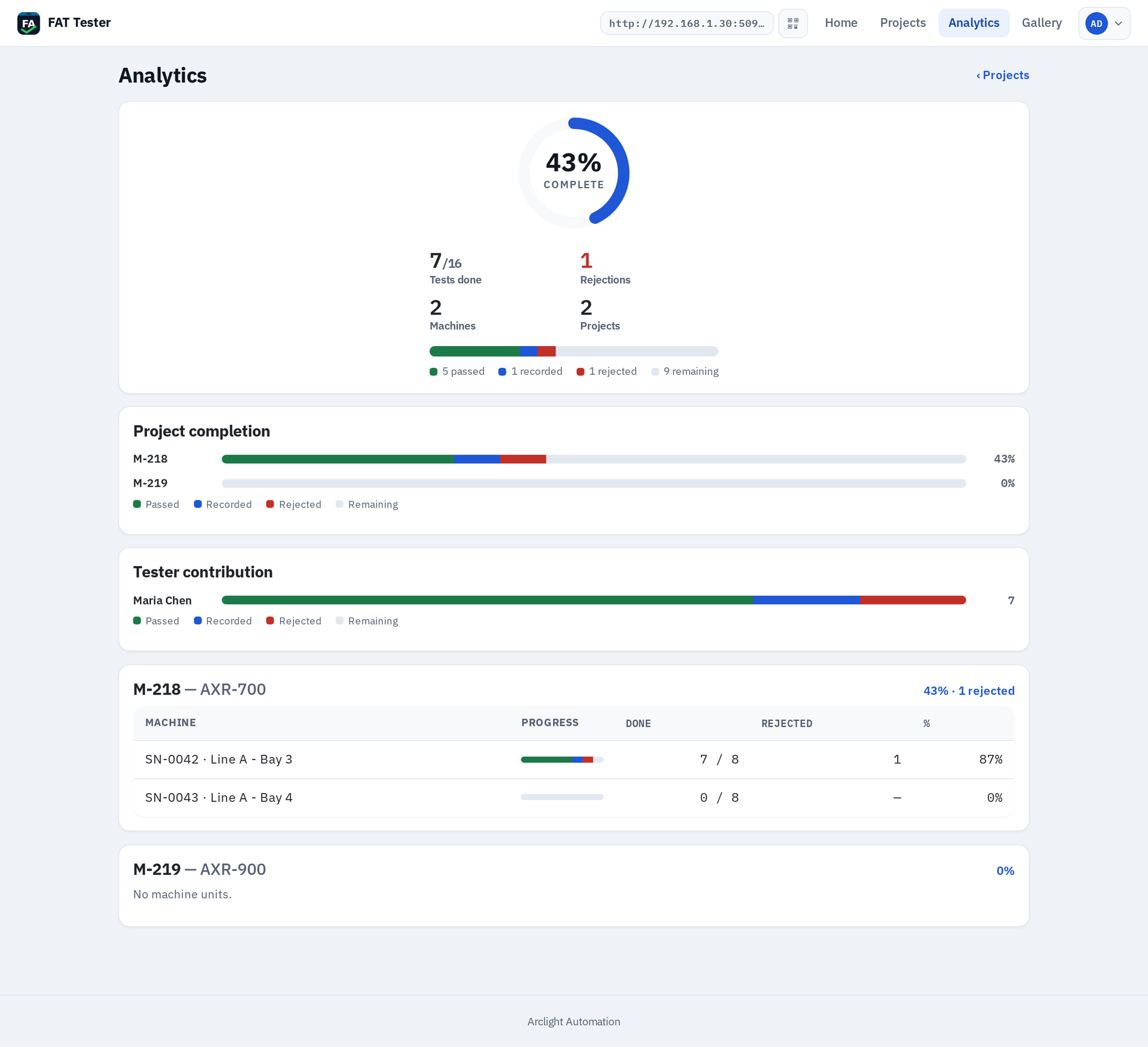
Beyond a single machine, engineers get a cross-project Analytics page that rolls up completion, total rejections, per-project and per-machine breakdowns, and per-tester contribution.
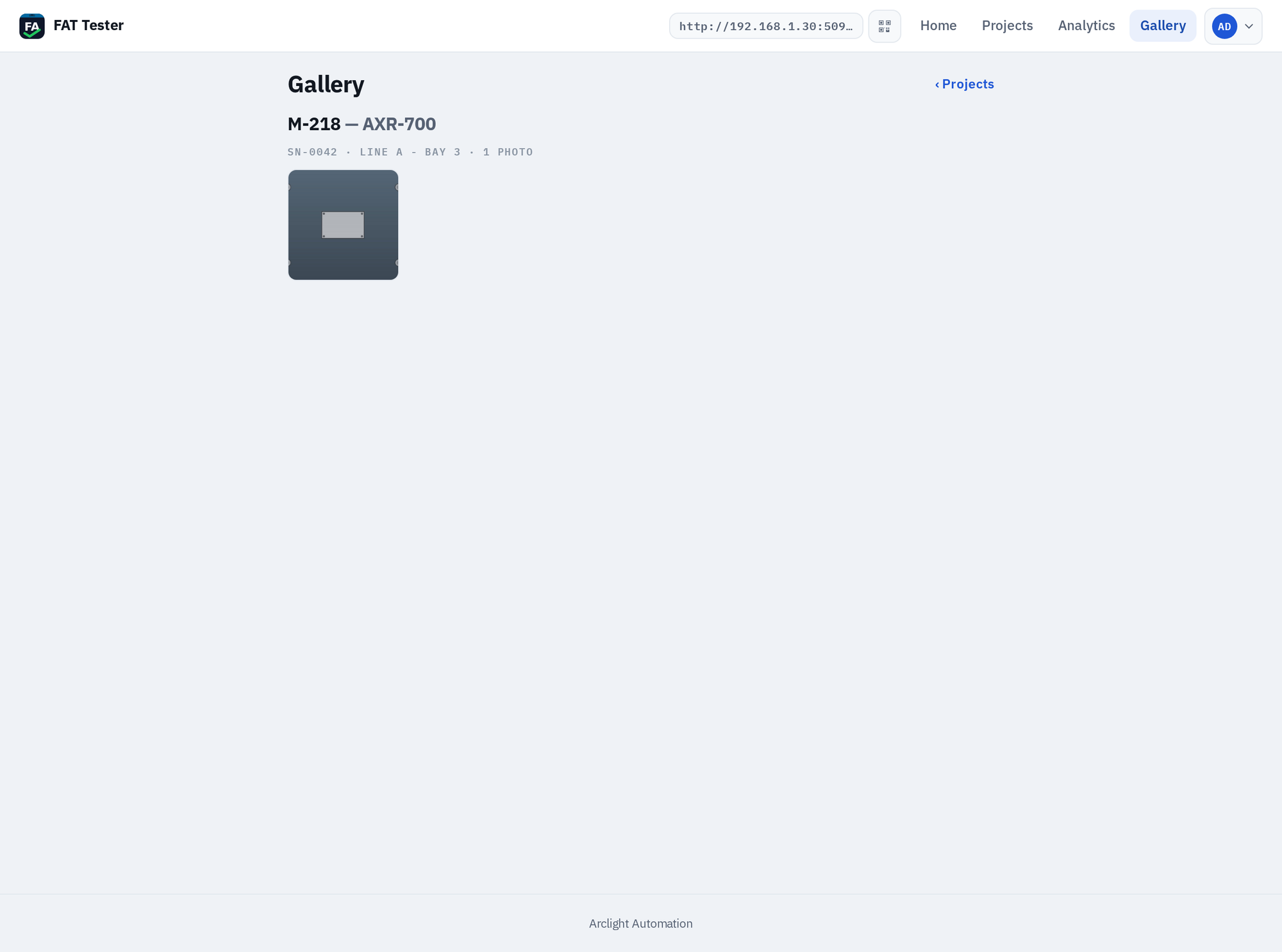
There is also a photo gallery that gathers every captured photo, organised by project and build, so evidence can be reviewed without opening each machine one by one.
Admins get a Settings page that controls everything that personalises the app and the reports — company branding, the report logo and cover-page text, the sign-off roles, and enabling or disabling testers. A disabled tester drops off the login list but keeps their attribution on tests they already did.
Deploying It
Because it is one ASP.NET Core process, deployment is genuinely simple. On Linux it publishes and installs as a systemd service that restarts on crash and on reboot — the same pattern I use for Tower and my other .NET services. For a single bench, the same codebase publishes to a self-contained Windows executable with the .NET runtime and the Blazor client bundled in, so the target PC needs nothing installed. Set a JWT signing key and an admin password through environment variables, run the exe, open the port through the firewall, and phones on the network can connect. The database and photos live in a single data/ folder you can back up by copying.
Where It Stands
Tester is at v1.14.1 and it does what I set out to do: the paper checklist and the hand-assembled Word report are gone, replaced by a phone-first flow that records results once, at the source, and produces a signed, revision-controlled PDF per machine — with live progress and defect tracking for free along the way. Building it was also a good excuse to go deeper on Blazor WebAssembly and SignalR, the same way the semiconductor work pushed me to write more C#.
What I would still like to add: an offline mode so a tester can keep working through a Wi-Fi dropout and sync when it returns, and tighter handling of test plans that evolve across many revisions of the same machine model. Both are about the messy reality of a factory floor, which is exactly the part a tidy data model never fully anticipates. For now, though, it is doing the job — and it has already saved me from a clipboard.